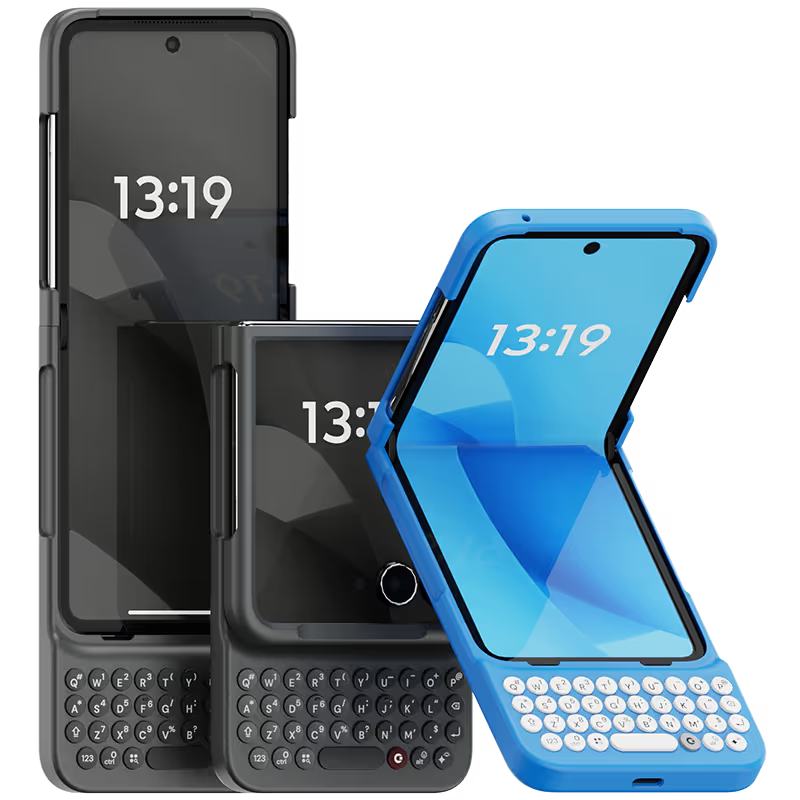
Why you'll love Clicks.

1
Feel satisfying real buttons
Pressing real buttons and hearing that little clicking sound feels more natural and rewarding.
Replay
2
Elevated premium protection
Brushed metal side keys, a microfibre lining, and a new enclosure that feels great while adding protection inside and out.
Replay
3
See more screen
Free your screen, with 50% more usable display to work, play, surf, chat and engage with your content.
Replay
4
Take action, faster
Launch customized shortcuts at the push of a button. Personalize your keyboard to control your home, launch apps, text or call contacts.
Replay
5
Keep your laptop at home
Make more happen right from your phone without needing to crack open your laptop.
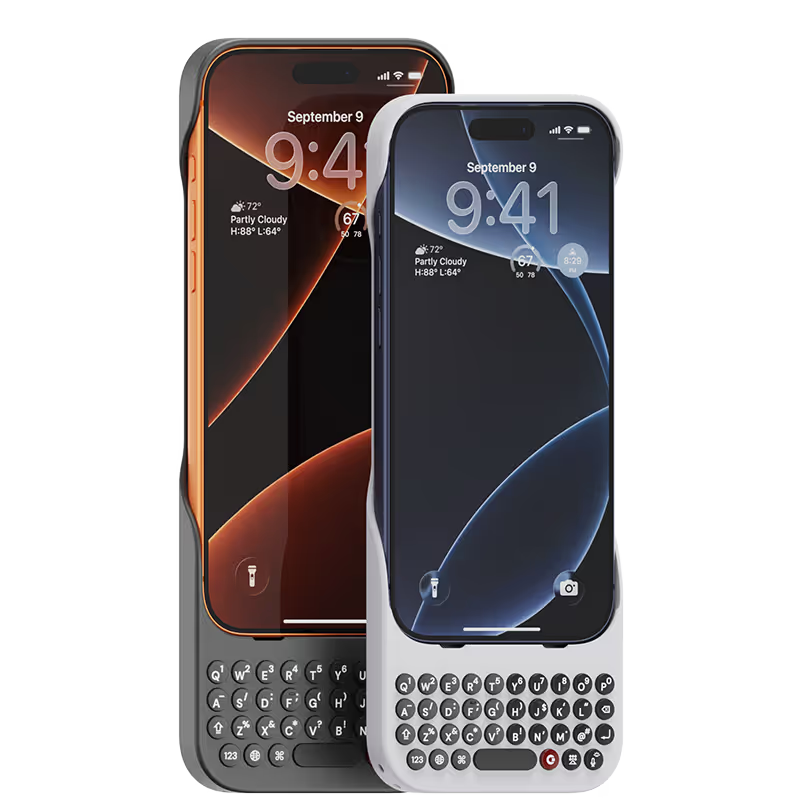
Clicks for iPhone
ボタンの利便性でiPhoneのパワーを強化。カラーは4色。
In stock & shipping now.
今すぐ購入
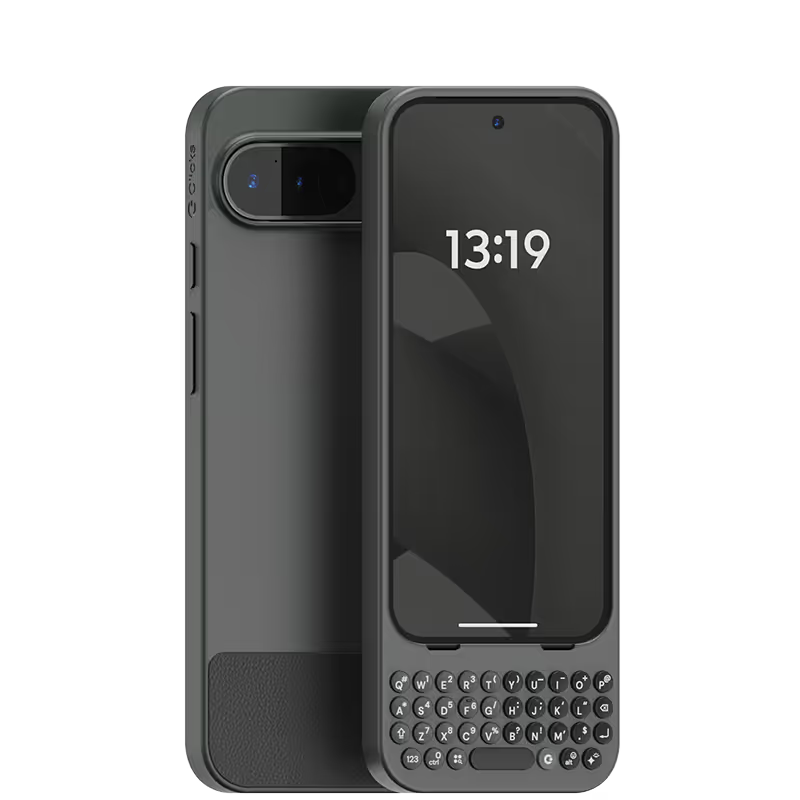
Clicks for Pixel
新しい生産性機能とより大きな表示領域でiPhone 14をアップグレード。
Available now.
今すぐ購入
Clicks for Razr
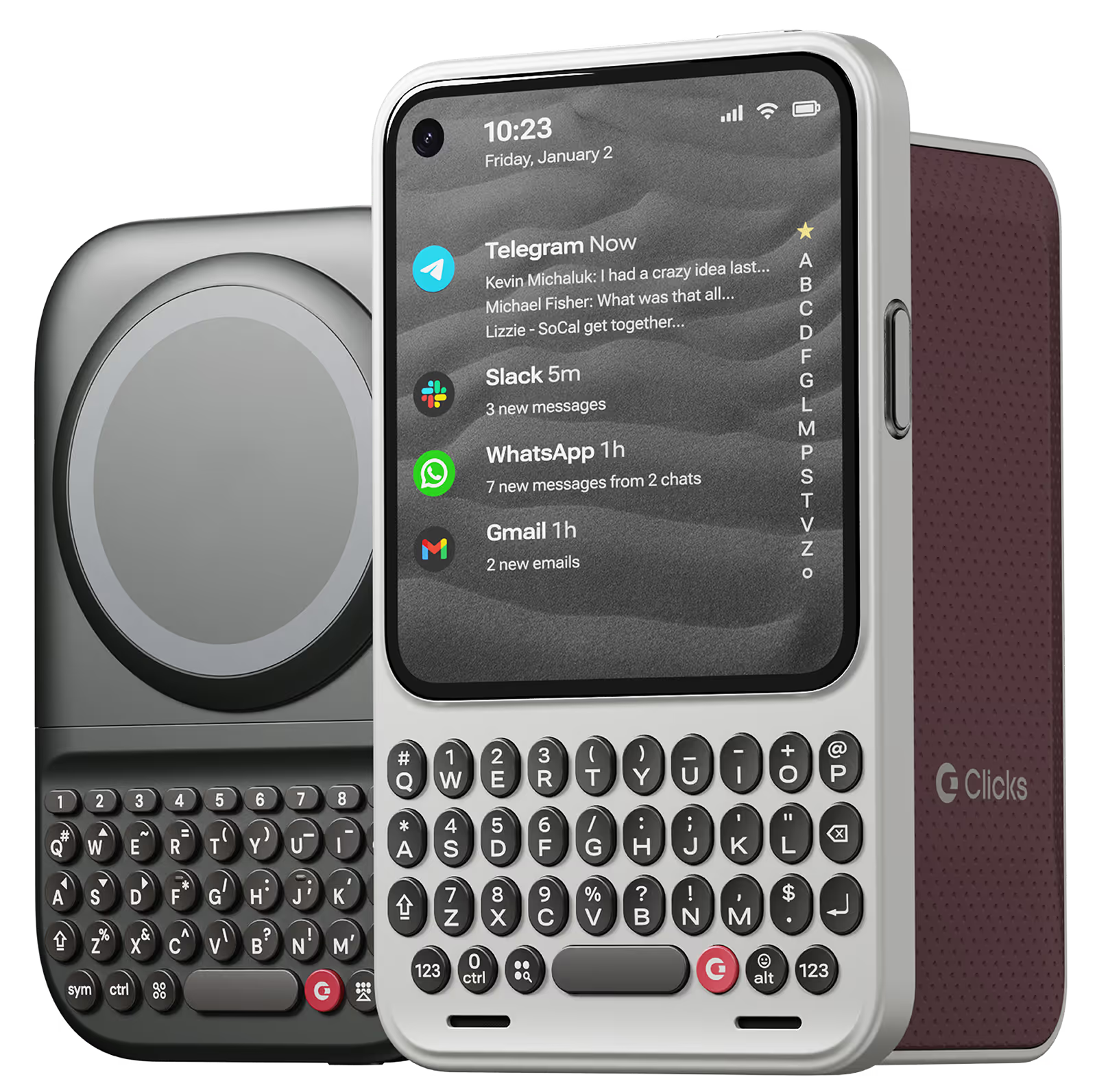
Pocket-sized. Power-packed.
Available now.
Buy Now

Buttons with benefits.

More Screen

Get 50% more usable display to work, play, surf, chat and engage with your content.

Customizable Shortcuts

Launch custom actions at the push of a button.

Powerful Productivity

Real buttons that help you work smarter while away from your desk.

What Clicks users are saying.

Based on 5,328 user reviews.
Emily G.
Clicks for iPhone 14 Pro

If you do a lot of typing on your phone, this keyboard case is a game-changer. It's like having a mini laptop in my pocket. The buttons are comfortable and responsive, and the layout is intuitive.

Visit source
Robert Coen
Clicks Keyboard for iPhone 17

I was a "founder" for the first generation Clicks Keyboard. As a former Blackberry enthusiast, it was an accessory that I searched high and low for. Now that iPhone 17 Pro Max was released, the first accessory I ordered was a new Clicks Keyboard. The experience is even better. I find the size of the keys and low weight of accessory is perfect for my needs. I even have a spare, just in case. So I highly recommend that any iPhone user purchase one ASAP.

Visit source
Chip W
Clicks Keyboard for iPhone 16

I have constantly struggled with typing on smart phones with screen imbedded keyboards. Clicks physical touch button keyboard has allowed me to type more accurately and quickly than ever before.

Visit source
Chris W.
Clicks for iPhone 15 Pro

Thanks for handling the return without any hassle.

Visit source
John A.
Clicks for iPhone 14 Pro

Overall I have really enjoyed using my Clicks Keyboard, it works really well with the iPhone 14 Pro Max. It does make the phone quite a lot longer, but that is a small price to pay for all of the additional usability it provides from the great keyboard to significantly more screen real estate.

Visit source
Lakesha T.
Clicks for iPhone 15

I think clocks is a great idea. However the keyboard was difficult to use since I wear acrylic nails. The buttons were to hard to push. If I do not have nails I think I would have really enjoyed using the keyboard.

Visit source
哲幸 関野
Clicks Keyboard for Razr (2024)

物理キーの快感が素晴らしい。 毎日触るたびにワクワクする。 悪いところは重量が少し増えることだけど逆にこの重量感が嬉しい。

Visit source
Hayley K.
Clicks for iPhone 16 Pro

I could not be more happy with my clicks keyboard. After hanging on to my BlackBerry Keyone for too long, I did not want to let go of my qwerty keyboard & actually get used to typing on a touch screen. I searched & search but could not find an upto date replacement. Then I came across clicks, it wasn’t even due out for months, but I got an iPhone 15 only because of clicks coming out, sure, I had to type with a touch screen for maybe a year but totally worth it. If you love buttons & loved your BlackBerry, Clicks will not disappoint. Can’t rate enough. 10/10,

Visit source
Semen Avilov
Clicks Keyboard for iPhone 15

Very easy to adjust and start typing! Love it from the first day

Visit source
YIXIANG SHEN
Clicks Keyboard for iPhone 17

I love this Clicks keyboard for its clean design. The feedback of the keyboard is better than any previous versions, and it's also easier to take off and on the case than ever.

Visit source

Clicks has you covered.
Try for 30 days.

It takes a week or two to get used to typing on real buttons –  you’ll need a little bit of patience and perseverance. Trust our tens of thousands of customers, it’s so worth it!

If it’s just not for you, we’ll give you your money back, no questions asked.