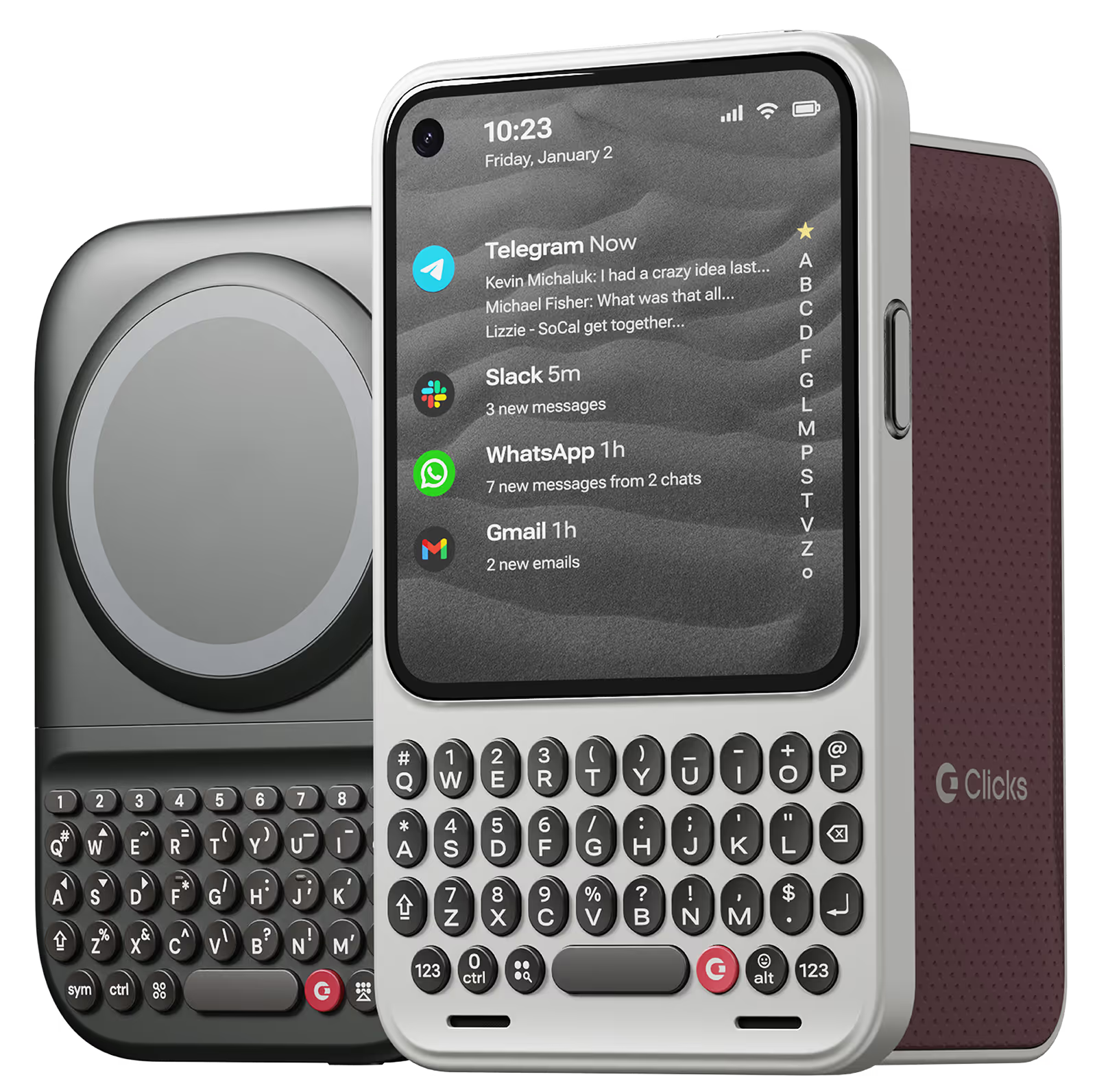
Why you'll love Clicks.

1
Feel satisfying real buttons
Pressing real buttons and hearing that little clicking sound feels more natural and rewarding.
Replay
2
Elevated premium protection
Brushed metal side keys, a microfibre lining, and a new enclosure that feels great while adding protection inside and out.
Replay
3
See more screen
Free your screen, with 50% more usable display to work, play, surf, chat and engage with your content.
Replay
4
Take action, faster
Launch customized shortcuts at the push of a button. Personalize your keyboard to control your home, launch apps, text or call contacts.
Replay
5
Keep your laptop at home
Make more happen right from your phone without needing to crack open your laptop.
Clicks for iPhone
Available for iPhone 16, 15 and 14.
In stock & shipping now.
Buy Now
Clicks for Pixel
Pixel-perfect productivity.
Available now.
Buy Now
Clicks for Razr
Pocket-sized. Power-packed.
Available now.
Buy Now

Buttons with benefits.

More Screen

Get 50% more usable display to work, play, surf, chat and engage with your content.

Customizable Shortcuts

Launch custom actions at the push of a button.

Powerful Productivity

Real buttons that help you work smarter while away from your desk.

What Clicks users are saying.

Based on 5,328 user reviews.
Martin M.
Clicks for iPhone 14 Pro

Love the old school keys that i had on my blackberry back in the day i love this feel and the sound of the clicking

Visit source
David H.
Clicks for iPhone 15 Pro

I can't believe we had to wait this long to get a keyboard for an iPhone! The Clicks keyboard has transformed the way I use my phone. It's perfect for composing long messages, taking notes, and even writing short articles. The build quality feels excellent and the case material is nice to hold. Highly recommend!

Visit source
Prisco S.
Clicks for iPhone 15 Pro

The excitement of having a physical keyboard died down a bit when I realized that the backlight was not very bright for me. So I contacted Clicks and a week later, Clicks updated their app to enable customization of their physical keyboard.

Visit source
Richard Beck
Clicks Keyboard for iPhone 16

It’s elegant, it works fantastically well. Simply a must have item for any phone.

Visit source
Andreas L.
Clicks for iPhone 14 Pro

I use Microsoft Outlook for emails on my iPhone and when I'm typing between the keyboard and Outlook icons it takes up over half the screen - I can barely see the message I'm typing. Putting Clicks on gives me so much more space. Total game changer for me.

Visit source
Peter P.
Clicks for iPhone 15 Pro

To start, I'd like to point out that I'm visually impaired. That gives me quite some trouble with touchscreen keyboards. So I've been using physical keyboard phones all my life starting with Nokia's and ending with a Blackberry Key2. The last few years there's almost no new phones in the physical keyboard niche market though and so i was pretty worried about how to keep using smartphones. That's until I read an article about Clicks keyboard. I was immediatly interested and intrigued. However, I'm nogt a big fan of the iPhone so i postponed purchasing it. That's until I read that it was compatible with the Nothing phone as well. I immediatly ordered both the Nothing phone and Clicks keybaord and I've been using it for a week now. It really is a lifesaver. There were some delays in the delivery but that can't spoil the fun. Now I'm hoping you will release the Clicks companion app for android as well so i can configure it properly. Built-in features like double space for interpunction and starting sentences with capital letters isn't working properly. But that are just minor issues. Overall I'm very gratefull to you for releasing this product and am looking forward to your future android products.

Visit source
Chris B.
Clicks for iPhone 14 Pro

Writing this review on my Clicks right now. As someone who grew up with a BlackBerry and missed the feeling of physical keys, Clicks has been amazing! I don’t want to use my phone without it now.

Visit source
André B.
Clicks for iPhone 15

I have enjoyed using the Clicks "Precision Typing Instrument" immensely - Typing and browsing with "Clicks" is so much more satisfying than typing on glass. It's also beautiful, well built and fits my Iphone 15 perfectly.

Visit source
Alejandro O.
Clicks for iPhone 15

At first it takes a while to get used to the keys. But then you gain speed and comfort when writing emails or social networks or, in my case, programming.

Visit source
Krystal M.
Clicks for iPhone 15

I’m so happy I followed my mind and made the purchase. I’m all about being different. Not only is this a secondary physical keyboard, it’s a very quality phone case. My phone looks great, feels secure, and the communication from CS: consistently professional

Visit source

Clicks has you covered.
Try for 30 days.

It takes a week or two to get used to typing on real buttons –  you’ll need a little bit of patience and perseverance. Trust our tens of thousands of customers, it’s so worth it!

If it’s just not for you, we’ll give you your money back, no questions asked.