Black Friday ends soon! Save up to 63%!
Shop now

Why you'll love Clicks.

1
Feel satisfying real buttons
Pressing real buttons and hearing that little clicking sound feels more natural and rewarding.
Replay
2
Elevated premium protection
Brushed metal side keys, a microfibre lining, and a new enclosure that feels great while adding protection inside and out.
Replay
3
See more screen
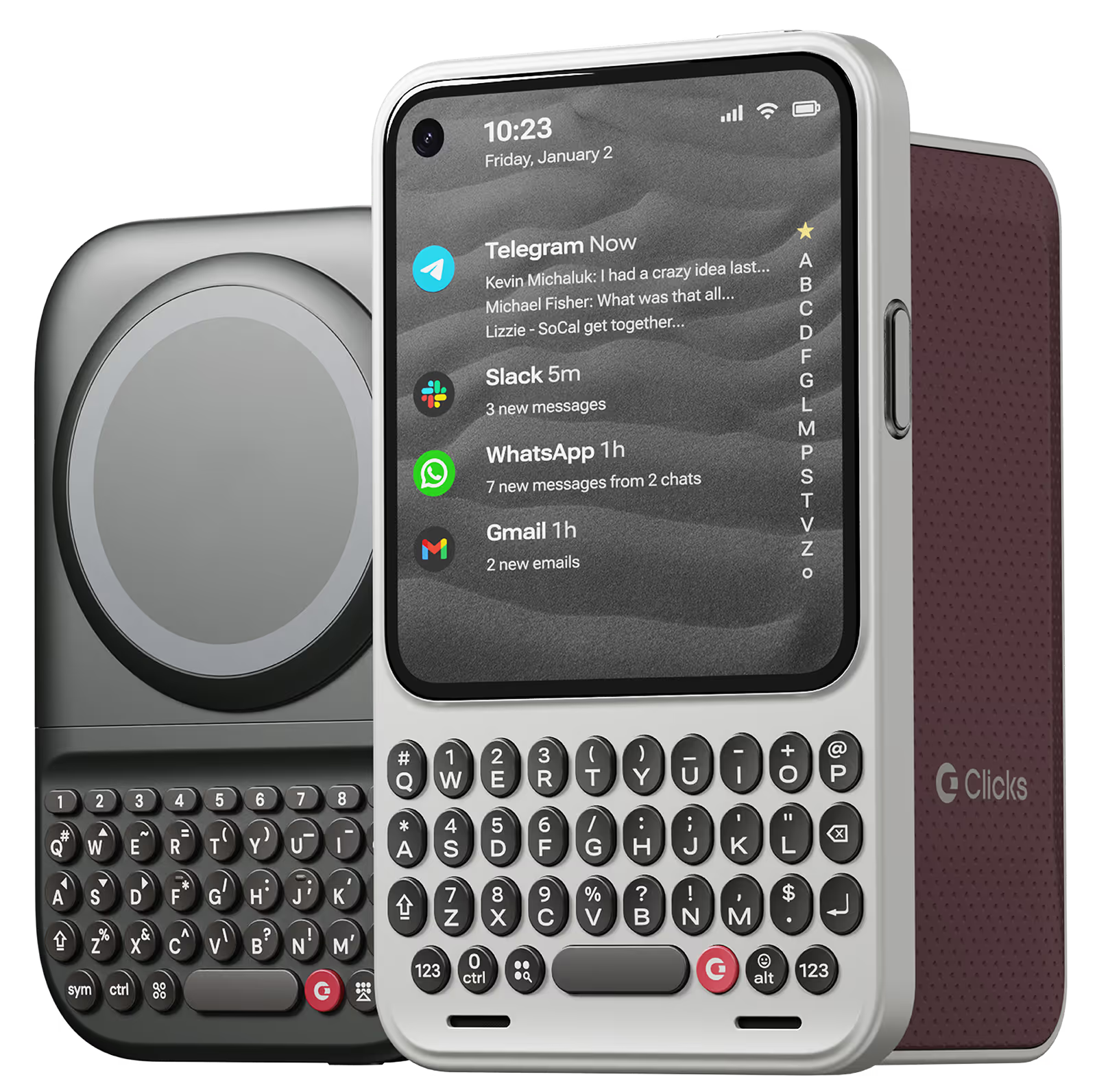
Free your screen, with 50% more usable display to work, play, surf, chat and engage with your content.
Replay
4
Take action, faster
Launch customized shortcuts at the push of a button. Personalize your keyboard to control your home, launch apps, text or call contacts.
Replay
5
Keep your laptop at home
Make more happen right from your phone without needing to crack open your laptop.
Clicks for iPhone
Available for iPhone 16, 15 and 14.
In stock & shipping now.
Buy Now
Clicks for Pixel
Pixel-perfect productivity.
Available now.
Buy Now
Clicks for Razr
Pocket-sized. Power-packed.
Available now.
Buy Now

Buttons with benefits.

More Screen

Get 50% more usable display to work, play, surf, chat and engage with your content.

Customizable Shortcuts

Launch custom actions at the push of a button.

Powerful Productivity

Real buttons that help you work smarter while away from your desk.

What Clicks users are saying.

Based on 5,328 user reviews.
Harry B.
Clicks for iPhone 15

I've always been a fan of physical keyboards on phones as I used to own a Blackberry and a Nokia many years ago. Now I can experience it all over again, thanks to Clicks!

Visit source
Cody C.
Clicks for iPhone 15 Pro

2000 Stars! I could not be happier with having my buttons back! Took a few days to get used to having a tall phone and mastering the different buttons, but once I did, there's now no stopping me. Everyone that sees my Clicks wants one, and is well, kind of jealous. Worth every penny that I'm thinking of getting an additional color!

Visit source
Christian Lopez
Clicks Keyboard for Razr+ (2024)

Fits perfectly in the smaller nature of the Moto Razr. I use my phone in both opened and closed and keep the keyboard attached for either! Keyboard shortcuts (with Android are nice and reprogrammable) change the way you use your phone and remind me why buttons are better than touch without losing any functionality of the modern smartphone experience. Having bought the Razr a few months ago just for this I had to wait till it shipped, but hardly ever take it off since.

Visit source
Aaditya Murthy
Clicks Keyboard for Pixel 9/9 Pro

I have been dealing with constant overwhelm and distractions for a long time. The clicks turns pixel 9 into an amazing little pocket productivity computer...allowing me to log my thoughts, ideas, and tasks down in a seamless way! I am also able to use terminals and editors like emacs like a breeze and the keyboard shortcuts really speed up my workflow. Great job team Clicks!

Visit source
Dan C.
Clicks for iPhone 15

The Clicks case is fantastic! I absolutely love using it to send emails, take notes, and send texts. I"ve only been called a boomer six times since I put it on!

Visit source
Hayley K.
Clicks for iPhone 16 Pro

I could not be more happy with my clicks keyboard. After hanging on to my BlackBerry Keyone for too long, I did not want to let go of my qwerty keyboard & actually get used to typing on a touch screen. I searched & search but could not find an upto date replacement. Then I came across clicks, it wasn’t even due out for months, but I got an iPhone 15 only because of clicks coming out, sure, I had to type with a touch screen for maybe a year but totally worth it. If you love buttons & loved your BlackBerry, Clicks will not disappoint. Can’t rate enough. 10/10,

Visit source
Sonja F
Clicks for iPhone 15

amazing keyboard. Reasonably priced. Easy to use and totally worth it. I love how it feels similar to a Blackberry. Highly recommend if youre looking for a keyboard attachment with tactile buttons. Honestly havent seen anyone else in the game do this. Wanted to get in every color just for variety but so far ive only purchased the pink and blue keyboard.

Visit source
Thomas H
Clicks for iPhone 16

Overall, very satisfied with Clicks. First off, it’s great being able to see a full screen. I have an iPhone 16 Pro Max, and seeing that giant screen is awesome. Years ago I used to use a Blackberry for work. I don’t know if it’s muscle memory or what, but I felt quite comfortable using the keyboard right away. And I feel like I make fewer typos on the keyboard than the screen. That being said, I do switch between the Clicks keyboard and the iPhone’s. I couldn’t tell you exactly why, except sometimes I just like to switch things up. And while mastering the keys has been fairly easy, getting a comfortable grip and typing (especially with a larger phone like the 16 Pro Max) can sometimes be challenging. The phone becomes very “top heavy” while you’re using Clicks, and so I’ll switch to the iPhone screen, just because it’s a change up for your fingers and grip. But I like having both keyboards, and ability to change back and forth. I can’t say the Clicks would ever become my full-time keyboard, but I will say it’s a great complimentary keyboard, and offers me flexibility, which I enjoy. Lastly, I should that this product feels really well made, and the “keyboard feel” is excellent. The only room for improvement in my mind would be if they could extend the backlight time beyond 10 seconds. The brightness level of the keyboard is excellent.,

Visit source
Petr Vosáhlo
Clicks Keyboard for iPhone 16

As someone who grew up with the satisfying click of a BlackBerry keyboard, I've always felt something was missing from the modern smartphone experience. When I first saw the Clicks Keyboard, I was intrigued but skeptical. Now, after several weeks of using it on my iPhone 16 Pro, I can confidently say I'm obsessed and can't imagine going back. The typing itself is a joy. The build quality is excellent. It feels like a premium, well-thought-out product, not a cheap accessory.

Visit source
Mark Peltier
Clicks Keyboard for iPhone 16

I was always a Blackberry fanboy, so naturally I am in love with the Clicks keyboard.

Visit source

Clicks has you covered.
Try for 30 days.

It takes a week or two to get used to typing on real buttons –  you’ll need a little bit of patience and perseverance. Trust our tens of thousands of customers, it’s so worth it!

If it’s just not for you, we’ll give you your money back, no questions asked.